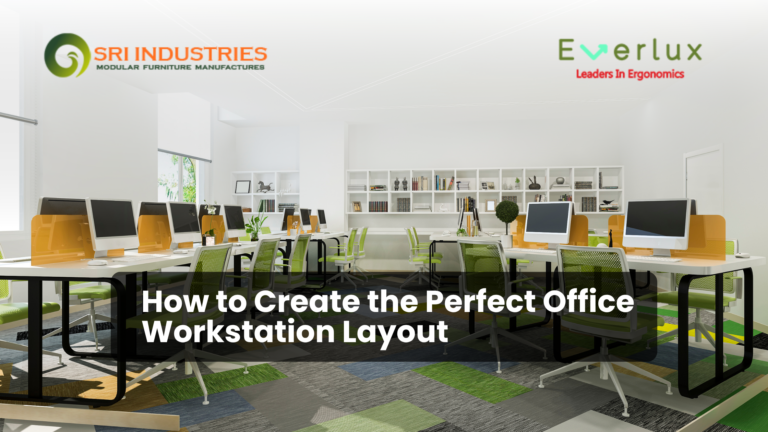
Choosing office workstations is an important part of setting up a functional workplace. The right furniture helps employees organize their daily tasks, use available space effectively, and maintain a professional working environment. However, selecting workstations involves more than comparing designs and prices. Businesses also need to consider material quality, dimensions, ergonomics, storage, installation, and long-term usability.
Finding a suitable office workstation manufacturer can make this process easier by helping businesses identify furniture options that match their workplace requirements. Whether you are furnishing a startup office, expanding an existing workspace, or planning a new commercial interior, understanding what to look for before placing an order can help you make a more informed decision.
This guide explains how to evaluate workstation manufacturers, compare furniture options, assess product quality, and select workstations that suit your business needs.
Table of Contents
Understand Your Business Requirements
Before contacting a manufacturer, identify how your employees will use their workstations. Different businesses have different furniture requirements, depending on their team size, daily activities, equipment, and available floor space.
For example, an IT office may need workstations with sufficient room for monitors, keyboards, and cable routing. An administrative department may require additional storage for documents and stationery. A design team might benefit from wider work surfaces that accommodate drawings, reference materials, and computer equipment.
Start by assessing the following factors:
- Number of employees: Determine how many individual workspaces you need now and whether your team is likely to grow.
- Available floor area: Measure the office and identify walkways, doors, windows, columns, and other fixed features.
- Daily work activities: Consider whether employees primarily use computers, handle paperwork, attend virtual meetings, or perform collaborative tasks.
- Storage requirements: Decide whether drawers, cabinets, shelves, or mobile pedestals are necessary.
- Budget: Establish a realistic budget that includes furniture, delivery, assembly, and installation where applicable.
Having these details ready helps you explain your requirements clearly and obtain more relevant quotations from manufacturers.
Explore Different Types of Office Workstations
An office workstation should suit the way a team works rather than simply fill an available area. Understanding the available configurations can help you choose a practical arrangement.
Modular Office Workstations
Modular workstations use components that can be arranged in different configurations to suit the office layout. Depending on the system, businesses may be able to adjust the arrangement, add partitions, or expand the setup as their teams change.
These workstations can be useful for growing companies, shared offices, and departments that need an organized layout for multiple employees.
Linear Workstations
Linear workstations arrange desks in straight rows, often along a wall or in an open office area. They can be suitable for departments where employees perform similar tasks and need clearly defined individual workspaces.
Before selecting this configuration, consider the space required for chairs, movement, electrical connections, and access between rows.
Cluster Workstations
Cluster workstations group multiple desks into a shared arrangement. Depending on the design, employees may face one another or sit on opposite sides of a central structure.
This layout can make productive use of floor space while supporting communication between team members. The amount of privacy and separation should be determined by the nature of the work.
Individual Workstations
Individual workstations provide a dedicated desk for each employee. They may suit roles that require focused work, confidential conversations, or separate equipment.
When comparing individual desks, assess the available work surface, storage options, legroom, and compatibility with office chairs.
L-Shaped Workstations
L-shaped workstations provide two connected work surfaces. They can be useful for employees who need space for computers, documents, and additional equipment without placing everything on one straight desk.
However, the dimensions and orientation should be checked against the room layout to avoid restricting movement.
The best configuration depends on the number of employees, available space, work activities, and future expansion plans. Discussing these factors with a manufacturer can help narrow down suitable options.
Evaluate Material Quality and Construction
The materials used in an office workstation influence its appearance, stability, maintenance requirements, and expected service life. A visually attractive product may not be the most suitable option if its construction cannot withstand regular workplace use.
When comparing manufacturers, ask about the materials used for the tabletop, supporting structure, partitions, edges, and fittings.
Engineered Wood and Laminated Surfaces
Engineered wood products are commonly used in office furniture because they can provide consistent dimensions and a range of finishes. Laminated surfaces may also be available in different colours and textures.
Ask about the specific board type, thickness, surface finish, edge protection, and recommended cleaning methods. Performance depends on the product specification and manufacturing quality, so avoid assuming that every engineered wood workstation offers the same durability.
Plywood
Plywood consists of layers of wood veneer bonded together. Its suitability for office furniture depends on factors such as grade, thickness, construction, finish, and the quality of the supporting structure.
If plywood is being considered, ask the manufacturer to explain the grade offered and whether it is appropriate for the intended application.
Metal Frames and Supporting Structures
Metal frames can provide structural support for workstation systems. Their suitability depends on the design, material thickness, joints, finish, and load requirements.
Check whether the workstation feels stable and whether the supporting structure is appropriate for the equipment employees will use.
Fittings, Edges, and Assembly
Small construction details can affect the workstation’s everyday usability. Examine the joints, screws, connectors, drawer fittings, edge finishing, and alignment of panels.
Ask whether replacement fittings are available and how loose joints or damaged components can be addressed.
For a more useful comparison, request product specifications and inspect a sample or finished product when possible. Comparing the actual construction is more informative than judging quality by photographs alone.
Consider Ergonomics and Employee Comfort
Employees may spend several hours each day working at their desks. Workstation dimensions and equipment placement should therefore support comfortable working positions and allow employees to organize their tasks effectively.
According to the Occupational Safety and Health Administration’s computer workstation guidance, desk arrangement, chair support, monitor placement, and the positioning of other equipment all contribute to workstation setup.
When evaluating a workstation, consider these practical points:
- Work surface height: Check that the desk works with the intended chair and allows a comfortable position for keyboard and mouse use.
- Monitor placement: Ensure there is enough space to position the monitor directly in front of the user at a suitable viewing distance.
- Legroom: Confirm that drawers, support bars, and storage units do not unnecessarily restrict knee and leg movement.
- Work surface area: Allow sufficient room for monitors, keyboards, documents, and frequently used accessories.
- Chair compatibility: Check that the workstation works with the chairs employees will use, including any necessary armrest clearance.
- Movement and adjustment: Consider whether the setup allows employees to change posture and reposition equipment when needed.
Ergonomics cannot be achieved through the desk alone. Chair adjustment, monitor height, lighting, keyboard placement, and individual requirements also matter. A workstation manufacturer should be able to explain relevant product dimensions, while the business should assess how the complete setup will work for its employees.
Check Customization and Space Planning Options
Standard workstations may suit many offices, but some workplaces have specific layout constraints or equipment requirements. In these situations, customization can help align furniture dimensions and configurations with the available space.
Before choosing a manufacturer, check whether it can accommodate the modifications your business actually needs.
Measure the Office Before Finalizing the Design
Prepare a floor plan showing room dimensions, columns, doors, windows, power outlets, network connections, and existing furniture. Include the clearance required for employees to move between desks and access shared areas.
Do not calculate workstation capacity based only on the number of desks that can physically fit into a room. Employees also need room to sit, move, open storage units, and access walkways.
Choose Suitable Partitions and Privacy Features
Partitions can help define individual work areas and reduce visual distractions. The appropriate design depends on how much privacy employees need and how often they collaborate.
A customer support team may prefer a different arrangement from a creative department that frequently exchanges ideas. Discuss partition height, material, positioning, and cleaning requirements before confirming the design.
Plan Cable Management and Storage
Computer workstations often accommodate power cables, monitors, network connections, and other electronic equipment. Cable-routing provisions can help maintain an organized workspace and make access for maintenance easier.
Storage should also be planned according to daily tasks. Consider whether employees need personal drawers, shared cabinets, shelves, or space for computer accessories.
Think About Future Changes
A growing business may need to add employees, rearrange departments, or move to another office. Ask whether the proposed workstation system can be expanded, reconfigured, or dismantled without unnecessary difficulty.
Customization should improve usability, not simply add features. Prioritize changes that address a clear operational requirement and fit the available budget.
Compare Pricing, Delivery, and Installation
Price is an important consideration when purchasing office furniture, but the lowest quotation does not always represent the best overall value.
Two quotations may appear similar while covering different materials, dimensions, accessories, or installation services. Request an itemized quotation so you can compare them fairly.
Review the following details before making a decision:
| Cost or service | What to confirm |
| Furniture price | Number of units, dimensions, and included components |
| Materials | Board type, frame material, surface finish, and fittings |
| Customization | Charges for changes to size, layout, or accessories |
| Delivery | Transport charges, delivery location, and estimated schedule |
| Installation | Whether assembly and on-site installation are included |
| Warranty | Written coverage, exclusions, and claim procedure |
| After-sales support | Process for reporting defects or requesting replacement parts |
Ask the manufacturer to confirm the expected delivery timeline and what happens if the schedule changes. For larger projects, clarify whether deliveries and installation will be completed in stages.
It is also worth checking how the furniture will be packed, transported, and moved into the office. Lift access, building restrictions, and installation timing can affect the project schedule.
A clear quotation reduces misunderstandings and helps your business compare the complete purchase rather than the initial price alone.
How to Evaluate a Manufacturer’s Reliability
Selecting a manufacturer is not only about finding an attractive product. You also need to understand whether the supplier can communicate clearly, explain its products, and fulfil the agreed requirements.
Use the following checks when evaluating potential suppliers.
Review the Product Range
Look for a manufacturer that offers workstation designs relevant to your business. Review the available configurations, dimensions, materials, finishes, and accessories.
A suitable range gives you a better basis for comparing options without selecting features that do not serve a practical purpose.
Ask for Specifications and Samples
Request written specifications for the shortlisted products. If possible, inspect a sample or finished workstation to assess stability, surface finish, edge treatment, fittings, and assembly quality.
Product photographs can help with initial selection, but they may not show construction details clearly.
Check Communication and Documentation
A reliable supplier should be able to explain the quotation, product specifications, delivery arrangements, and applicable warranty terms. Make sure any promised customization or additional service is documented before placing an order.
Ask who will be responsible for coordinating the order and whom you should contact if a problem occurs.
Review Relevant Experience and References
Look for verifiable information about the manufacturer’s experience with similar furniture requirements. Product portfolios, customer references, completed projects, and genuine reviews may help you assess whether the supplier is appropriate for your needs.
Do not rely exclusively on promotional claims. Evaluate the information available and ask for clarification where necessary.
Understand Maintenance and Support
Office furniture requires routine care. Ask about suitable cleaning products, care instructions, spare parts, and the process for addressing defects.
For a business purchasing multiple workstations, these details can be particularly useful when planning future maintenance.
A manufacturer should be evaluated on product suitability, transparent communication, documented terms, and its ability to meet your specific requirements.
Common Mistakes to Avoid
Even a well-planned office furniture purchase can create problems if important details are overlooked.
Choosing based only on price: A low quotation may exclude installation, accessories, or features included by another supplier. Compare the complete specification and cost.
Ignoring measurements: Workstations that look suitable in a catalogue may not fit the actual room layout. Measure the space and plan circulation before confirming an order.
Overlooking employee requirements: A design that works for one department may not suit another. Consider equipment, storage, privacy, and daily tasks.
Assuming all materials are equivalent: Different board types, frames, finishes, and fittings have different characteristics. Request precise specifications rather than relying on general descriptions.
Not confirming delivery and installation: Unclear schedules can disrupt office operations. Agree on responsibilities and timelines in writing.
Failing to plan for expansion: A rigid layout may become inconvenient when the team grows. Consider whether the workstation system can accommodate future changes.
Ignoring after-sales terms: Confirm warranty coverage, maintenance instructions, and the procedure for handling defects before completing the purchase.
Avoiding these mistakes helps businesses make decisions based on practical requirements rather than appearance or price alone.
Why Consider Sri Industries for Office Workstation Solutions?
Businesses looking for office furniture can explore manufacturers that offer workstation options suited to different workplace layouts and team requirements.
Sri Industries provides a range of modular office workstations, including configurations intended for different office sizes and seating arrangements. Businesses can review the available options and discuss their requirements before deciding which design is appropriate.
When evaluating workstation solutions, consider the following points with the supplier:
- The number of employees who need dedicated workspaces.
- The dimensions and layout of the available office area.
- The material, finish, and configuration suitable for daily use.
- The need for partitions, storage, and cable management.
- The project budget and expected delivery schedule.
Sri Industries also offers related office furniture categories, including computer tables, conference tables, and storage and filing systems. Reviewing related products may help businesses plan furniture for different areas of the same office.
If you are comparing workstation options for a new office or an existing workspace, you can contact Sri Industries to discuss your requirements and enquire about suitable designs, specifications, and pricing.
The final selection should depend on your measurements, intended use, budget, and the specifications confirmed by the supplier.
Conclusion
Finding the right office workstation manufacturer requires a clear understanding of your workplace needs and careful comparison of available options. Material quality, ergonomic considerations, space planning, customization, pricing, delivery, and after-sales support should all contribute to the final decision.
Rather than choosing workstations based on appearance or cost alone, evaluate how each option will support employees’ daily activities and fit the available office space. Request written specifications, compare quotations, and clarify the terms before confirming your purchase.
For businesses planning a new workspace or upgrading an existing office, Sri Industries offers workstation and related office furniture options worth exploring. Review the available designs, define your requirements, and contact the supplier to discuss a suitable solution for your business.
1. How do I choose the right office workstation manufacturer?
Start by identifying your space, seating capacity, material, and customization requirements. Compare manufacturers based on product specifications, construction quality, pricing, delivery arrangements, warranty terms, and after-sales support. Request a detailed quotation before placing an order.
2. What should I check before buying office workstations?
Check the dimensions, materials, stability, surface finish, legroom, storage, cable management, and compatibility with office chairs and computer equipment. Also confirm delivery, installation, and warranty terms.
3. Which type of office workstation is best for a small office?
The most suitable option depends on the room dimensions and how employees work. Compact individual desks, linear workstations, or appropriately sized modular configurations may work well. Measure the room and allow sufficient space for chairs, walkways, and equipment before selecting a design.
4. Are modular office workstations suitable for growing businesses?
Modular workstations can be useful for growing businesses because some systems allow desks and components to be rearranged or expanded. However, the level of flexibility depends on the specific design. Ask the manufacturer whether additional units or compatible components can be supplied later.
5. How can I compare office workstation prices?
Compare quotations that specify the same or equivalent dimensions, materials, finishes, accessories, quantities, delivery terms, and installation services. Consider the total purchase cost rather than comparing the headline price alone.
6. Why is ergonomics important when selecting workstations?
Workstation dimensions and equipment placement influence how comfortably employees can perform their tasks. Appropriate desk height, legroom, monitor placement, and chair compatibility can support more comfortable working positions. The complete setup should be assessed rather than considering the desk in isolation.
7. Can office workstations be customized?
Customization depends on the manufacturer’s capabilities and the workstation design. Possible options may include dimensions, finishes, partitions, storage, and layout configurations. Confirm availability, additional costs, and delivery implications before approving a customized order.
8. What information should I provide when requesting a workstation quotation?
Provide the office dimensions, required number of workstations, preferred configuration, material preferences, storage requirements, equipment needs, budget, delivery location, and expected timeline. A floor plan or reference images can help the manufacturer understand your requirements.