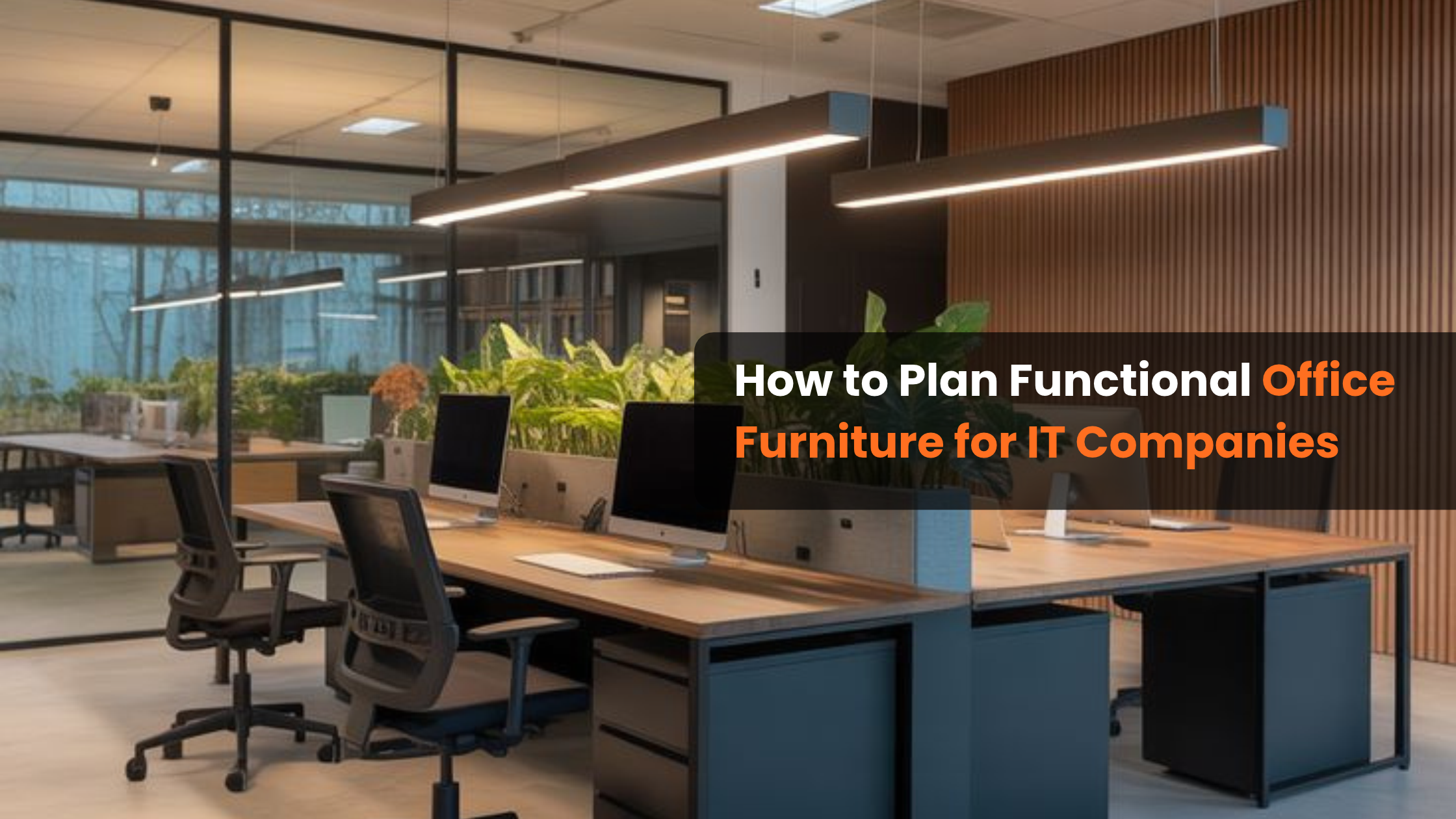
An IT office needs more than desks and chairs. Employees spend long hours working on computers, attending meetings, collaborating with teams, and handling tasks that require concentration. The furniture and workspace layout should support these activities while making the office comfortable, organised, and easy to manage.
Planning an IT workspace also involves understanding how different departments operate. Developers may need focused workstations, managers require functional desks, and project teams benefit from spaces where they can discuss ideas. A well-planned office brings these requirements together without wasting available floor space.
Choosing the right Office Furniture for IT Companies involves balancing employee comfort, workplace functionality, storage requirements, technology needs, and future expansion. This guide explains how businesses can plan furniture that supports everyday operations and creates a productive working environment.
Table of Contents
Understand the Functional Requirements of an IT Office
Before purchasing furniture, businesses should identify how employees use different areas of the office. An IT company may have software development teams, technical support staff, project managers, administrative employees, and senior management. Each department can have different furniture requirements.
Start by reviewing the following factors:
- Employee count: Identify the number of employees who need individual workstations.
- Department structure: Understand which teams work independently and which require frequent collaboration.
- Work activities: Consider computer-based tasks, meetings, discussions, and administrative responsibilities.
- Available floor area: Measure the office space and identify practical furniture placement options.
- Equipment requirements: Account for computers, monitors, docking stations, printers, and other office devices.
- Expansion plans: Consider whether the business expects to add employees or departments.
For example, a software development team may require dedicated computer workstations with sufficient monitor space, while a project management team may benefit from a combination of individual desks and collaborative discussion areas.
Understanding these requirements helps businesses avoid purchasing furniture that looks attractive but does not support everyday work.
Plan the Office Layout Before Selecting Furniture
Office layout planning should happen before furniture selection. A suitable layout helps employees move comfortably, access shared facilities, and work without unnecessary interruptions.
The first step is to divide the office into functional zones.
Individual Work Areas
These spaces accommodate employees who need dedicated desks for regular computer-based tasks. Workstations should provide enough room for monitors, keyboards, documents, and personal work essentials.
Team Collaboration Areas
IT projects often involve discussions between developers, designers, testers, and project managers. A shared collaboration area allows employees to exchange ideas without disturbing colleagues who need quiet working conditions.
Meeting Rooms
Meeting rooms should be planned according to the company’s meeting frequency and team size. Furniture should support presentations, video conferences, client discussions, and internal reviews.
Management Areas
Managers and senior executives may require dedicated desks, storage, and seating arrangements for private discussions or team interactions.
Reception and Waiting Areas
The reception area creates the first impression for visitors, candidates, and business partners. A reception desk with suitable visitor seating helps maintain a professional appearance.
A useful approach is to prepare a basic floor plan showing workstations, meeting rooms, storage areas, and movement paths before finalizing furniture dimensions.
Choose Workstations Based on Employee Activities
Workstations are among the most frequently used furniture pieces in IT offices. Employees may spend several hours at their desks, so workstation selection should consider both functionality and available space.
Different workstation formats serve different workplace requirements.
Linear Workstations
Linear workstations arrange desks in straight rows. They are suitable for offices with teams that require individual workspaces within a shared area.
Best suited for: Software development teams, technical support departments, and larger employee groups.
Cluster Workstations
Cluster workstations group employees together, making it easier for team members to communicate and coordinate tasks.
Best suited for: Project teams, collaborative departments, and agile working environments.
L-Shaped Workstations
L-shaped workstations provide additional surface area for multiple monitors, documents, and accessories. Their design can also help separate computer work from other desk activities.
Best suited for: Developers, designers, analysts, and employees who use multiple screens.
Modular Workstations
Modular workstations can be arranged or reconfigured according to changing office requirements. They are useful for businesses that expect changes in team size or workspace layout.
Best suited for: Growing IT companies and offices with changing department structures.
When comparing workstation options, check desk dimensions, surface strength, legroom, privacy requirements, accessibility, and compatibility with office equipment. The best choice is the one that supports employees’ actual work patterns rather than simply fitting the available floor area.
Prioritise Ergonomic Furniture for Employee Comfort
Employee comfort should be an important consideration when planning an IT office. Long hours of computer use can make unsuitable seating and desk arrangements uncomfortable.
Ergonomic furniture helps employees maintain a more suitable working posture. However, furniture alone cannot prevent every work-related discomfort. Proper workstation adjustment, regular movement, and healthy working habits are also important.
Consider these features when selecting office furniture:
Adjustable Office Chairs
Look for chairs with adjustable seat height, suitable back support, comfortable cushioning, and armrests where appropriate. Employees should be able to adjust their chairs to suit their body proportions and desk height.
Suitable Desk Height
Work surfaces should allow employees to position their arms comfortably while using a keyboard and mouse. Desk height should be considered alongside chair adjustment.
Adequate Legroom
Avoid furniture arrangements that restrict leg movement. Employees should have enough space to sit comfortably and change their sitting position.
Monitor Placement
Workstations should provide enough surface area to position monitors at a comfortable viewing distance and height. Monitor stands or adjustable arms may help achieve a suitable setup.
Employee Movement
The office layout should allow employees to stand, stretch, and move around during the working day. Shared areas and clear walkways can support movement between tasks.
A comfortable workstation is not defined by appearance alone. Its dimensions, adjustability, and suitability for daily use are equally important.
Create Effective Meeting and Collaboration Areas
IT companies regularly conduct project reviews, sprint planning sessions, client discussions, interviews, and internal meetings. These activities require furniture that supports communication and teamwork.
A meeting room should be planned according to the number of people who use it and the type of discussions that take place.
Consider the following furniture:
- Conference tables: Choose a table size that accommodates the expected number of participants without restricting movement.
- Meeting chairs: Select comfortable chairs suitable for the typical duration of meetings.
- Presentation furniture: Provide suitable space for screens, projectors, and other presentation equipment.
- Storage cabinets: Keep documents, stationery, and meeting accessories organised.
- Video conferencing arrangements: Allow space for cameras, microphones, screens, and power connections.
Not every discussion needs a formal conference room. Small collaboration spaces with compact tables and comfortable seating can be useful for quick team discussions.
Separating meeting areas from quiet work zones can also help reduce interruptions for employees handling concentration-intensive tasks.
Include Storage Solutions for an Organised Workplace
Although many IT companies rely heavily on digital records, physical storage is still useful for documents, office supplies, equipment, and personal belongings.
Poor storage planning can result in cluttered desks, misplaced materials, and inefficient use of office space.
Useful storage options include:
Filing Cabinets
Filing cabinets help organise physical documents, employee records, contracts, and administrative files. Select storage units based on document volume and access requirements.
Office Pedestals
Mobile or fixed pedestals can be placed near workstations to store frequently used stationery, files, and personal items.
Storage Cupboards
Larger cupboards are useful for office supplies, equipment, and shared departmental materials.
Open Shelving
Open shelves provide convenient access to commonly used items. They can also help organise books, reference materials, and decorative elements.
Lockable Storage Units
Businesses handling confidential documents or valuable equipment may require lockable cabinets with controlled access.
Storage furniture should be placed where employees can access it without blocking walkways or creating congestion around workstations.
Consider Technology and Cable Management
Technology is central to IT office operations. Furniture planning should therefore account for the devices employees use and how those devices connect to power and networks.
A workstation that does not accommodate cables and equipment properly can quickly become cluttered.
Important considerations include:
- Cable management trays: Keep cables organised underneath desks.
- Power access: Plan suitable access to electrical outlets for computers, monitors, and other devices.
- Network connections: Consider LAN ports and network cable routing where required.
- Monitor arrangements: Ensure desks can accommodate single or multiple monitor setups.
- Device storage: Provide suitable space for CPUs, docking stations, and accessories without restricting ventilation.
- Shared equipment areas: Allocate dedicated locations for printers, scanners, and other common devices.
Businesses should coordinate furniture installation with their electrical and IT teams. Power and network arrangements must be planned safely and in accordance with applicable building and electrical requirements.
This coordination reduces the need for disruptive modifications after the furniture has been installed.
Select Furniture Materials and Finishes Carefully
Furniture material affects durability, maintenance, appearance, and overall value. IT companies should select materials according to how frequently furniture will be used and the conditions of the office environment.
Common furniture material considerations include:
Engineered Wood
Engineered wood products are commonly used for workstation surfaces, cabinets, and storage units. Their suitability depends on board quality, thickness, finish, and construction.
Metal Frames
Metal frames can provide structural support for workstations and other office furniture. Check the quality of the frame, joints, coating, and overall stability.
Laminated Surfaces
Laminated finishes are available in different colours and textures. They can provide a practical surface that is relatively easy to maintain when properly selected and cared for.
Upholstery Materials
For office chairs and soft seating, consider fabric durability, cleaning requirements, comfort, and suitability for regular use.
When comparing materials, do not evaluate furniture based on appearance alone. Ask about construction quality, load capacity, edge finishing, hardware, maintenance, and warranty terms.
Plan Furniture According to Available Space and Budget
A functional IT office does not necessarily require expensive furniture. The objective is to invest in suitable furniture that meets operational requirements and makes effective use of available space.
Begin by dividing the budget into categories such as:
- Employee workstations and desks
- Ergonomic office chairs
- Meeting and conference furniture
- Reception and visitor seating
- Storage cabinets and filing systems
- Installation and furniture accessories
Compare quotations based on specifications rather than total price alone. Two furniture options may look similar but differ in material quality, dimensions, hardware, construction, and warranty coverage.
For smaller offices, compact workstations and vertical storage may help use space more efficiently. Larger offices may benefit from modular furniture that supports department-based arrangements.
It is also useful to consider the total cost of ownership. Furniture that is durable, easy to maintain, and suitable for daily use may offer better long-term value than an option selected only because of its lower initial price.
Allow Room for Future Business Growth
IT companies can experience changes in employee numbers, project teams, and departmental requirements. Furniture planning should account for these possibilities.
A layout that works for the current team may become difficult to manage when the company hires additional employees.
Consider these planning measures:
- Choose adaptable furniture: Modular workstations can make future layout changes easier.
- Keep expansion areas in mind: Avoid using every available section of the office for fixed furniture.
- Use flexible meeting spaces: Multi-purpose rooms can support different activities when required.
- Standardise furniture dimensions: Consistent workstation sizes can simplify future additions.
- Review storage needs: Growing teams may require additional filing and equipment storage.
Planning for future requirements does not mean purchasing more furniture than the business currently needs. It means selecting arrangements that can adapt without requiring a complete office redesign.
Common Mistakes to Avoid When Planning IT Office Furniture
Even a well-funded office project can face practical problems if furniture planning is rushed.
Here are some common mistakes businesses should avoid:
1. Choosing furniture based only on appearance
A modern-looking desk may not provide sufficient working space or comfort. Evaluate functionality before making a purchase.
2. Ignoring employee requirements
Different teams use their workstations differently. Understand daily activities before finalising desk dimensions and layouts.
3. Overcrowding the office
Fitting too many workstations into a limited area can restrict movement and make the workspace uncomfortable.
4. Neglecting cable management
Unorganised cables can make desks look cluttered and create maintenance difficulties. Include cable management in the initial design.
5. Selecting unsuitable chairs
Employees who work at computers for extended periods need seating that can be adjusted to their requirements.
6. Forgetting storage requirements
Insufficient storage can lead to cluttered work surfaces and inefficient use of shared spaces.
7. Not planning for future changes
A fixed layout may become unsuitable when departments expand or teams are reorganised. Consider adaptable furniture wherever practical.
Avoiding these mistakes helps businesses create a workspace that is easier to use, maintain, and modify.
Conclusion
Planning an IT office requires a clear understanding of employee activities, available space, technology requirements, and future business needs. From workstations and ergonomic chairs to conference tables and storage solutions, every furniture choice should contribute to a more organised and functional workplace.
Businesses looking for Office Furniture for IT Companies should prioritise practical design, durable materials, employee comfort, and flexibility rather than selecting furniture based on appearance alone.
Sri Industries provides office furniture solutions for businesses planning functional and organised workspaces. By considering the requirements of each department and selecting suitable furniture, IT companies can create office environments that support their everyday operations and long-term growth.